How easy it is to burn your own CD's with a CD-R burner and Adaptec Toast.
You can burn a CD disk on your own, with no technician necessary. Just drag-and-drop your files directly from your own computer straight into the CD burner software. In ancient times (two years ago in computer time) you had to prepare your files to burn on a CD. So don't waste your money buying an overpriced Jaz-CD-burner combination sold by some companies. You do not need a special hard drive or Jaz to burn a CD.
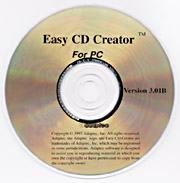 |
This is the software for a PC; the similar software for a Mac is Toast. I do not recommend using CD-Direct mode (Mac). You cannot share your CD with anyone else unless they have loaded CD-Direct. Use the Toast format for Mac, it is also faster than CD-Direct, and just as direct.. |
Some blank CD-R disks are rated for burning at 4x speed. But we have found the basic low-cost HiVal generic sort of disk, with no rating at all, burns just fine (out of about 168 burns fried only three disks). ProDirect probably has a favored brand which they will recommend, since many good brands are available. Sure, perhaps it is safer to use a name-brand disk, but they are more expensive. Maxell send us some generic disks that we burned at 8x speed. Now, with 12x (12-speed) CD-R burners available I need to test the new media in the new faster CD-R burners. Verbatim, for example, makes DirectCD disks rated for 12x burners.
I would suggest buying paper sleeves in bulk (500 per lot) and save money and space. Plastic jewel cases break almost immediately anyway (the hinges especially). Paper is more economical. A plastic jewel case costs as much as the disk (ever wonder why packs-of-5 disks are so expensive? You are paying for the jewel cases and the packaging. Buy in bulk and save.
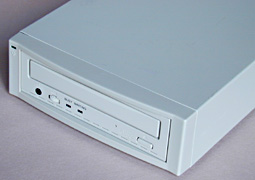 |
Just pop your blank CD-R disk into the caddy, drop your files into the software just as you would move files from one hard disk to another, and press the GO button. Your CD is toasted in 18 minutes if you use a 4x burner or about 10 minutes if you use an 8x burner. 12x burners are now becoming available. |
You can also save by asking for the newer 700 MB disks. You can get extra files on these disks, which hold about 10% more digital files than the older CD-ROM disks (otherwise the new disks are identical; they burn and play in all CD-R units).
Most recently updated August 02, 2001.