Nicholas Hellmuth explains advantages of Apple 22" Cinema Display LCD monitors.
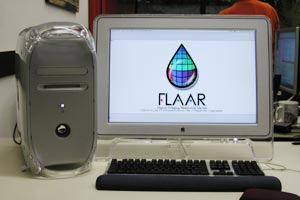 |
Apple
Cinema Display at FLAAR offices. |
If you work with professional digital cameras or prepress scanners then you need a large enough monitor to handle your high quality images. Everything we do at FLAAR involves wide angle images. Our scanners are tabloid sized, not letter sized, for example. Our printer average 42" in width, so we need monitors that can show our images at a reasonable size. The 22" cinema display is essential for the success of our digital imaging programs.
People who see the 22" cinema displays in the FLAAR office always ask, "how can you afford such a spectacular monitor?" My answer is, "how can you afford not to have one?" This monitor allows you to work on three complete pages of text simultaneously. So when we are working on the FLAAR PDF reports and need to compare several pages simultaneously, you can't do that on a 17", 19" or even a 21" CRT monitor
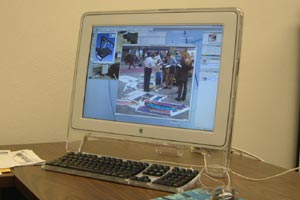 |
Apple
Cinema Display at FLAAR offices |
Besides, no flicker on the Apple LCD monitor. The traditional CRT monitors have bothersome flicker that can give you a headache.
Another reason FLAAR prefered the 22" monitors from Apple is because two years ago their price was more reasonable than in the same size range from any PC manufacturer. 19" and 21" LCT monitors from other brands cost more than the Apple 22" cinema display.
Plus, we compared the image quality on the Apple monitor with flat panel LCD displays in the office of the head of the IT services on campus. The picture quality of the Apple monitor was better than anything the university had in its own computer headquarters.
If you have a $97,000 digital camera (Cruse) and a $42,000+ scanner (CreoScitex EverSmart Supreme), you certainly don't want to see your impressive images on a lesser monitor.
It's frankly impressive.
Nicholas Hellmuth personally ordered all the 22" cinema displays for all the offices: 1 for his office in Germany; 3 for the office in Guatemala.
That second one in Latin America is for the lab tech manager who runs all the large format printers (an Encad, three HP DesignJets, and an Epson).
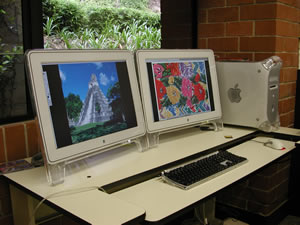 |
Dual
Apple Cinema display. |
Dual 22” Apple Cinema display at FLAAR offices.
Although all of these cinema displays were selected because they are more productive, in point of fact the monitors are impressive. FLAAR is the #1 source of information for high-end digital imaging equipment. Over 250,000 people a year see the equipment we have in our office. And that's just a single web site.
All together, over the entire FLAAR network, more than one million people will look at a FLAAR web site as they seek information on cameras, computers, software, printers, and scanners. Average time a person spends on a FLAAR web site is 7 to 8 minutes (high for the industry). This count is of actual readers; it is not an inflated visitor page count. In a single month, on a single site, we get over a million hits from more than 20,000 readers. We have a dozen sites and there are twelve months in a year.
We want all these visitors to realize that state-of-the-art equipment is preferred if you intend to be successful. Buying low-bid computer monitors is not a good return on your investment. Your web designers, graphic designers, and all the staff need to be able to see lots of full-sized pages simultaneously, so they can, for example, gather data from web sites to help form the chapter of a forthcoming book on digital imaging technology. This requires having enough space on your monitor to show one or more web sites simultaneously with one or more pages of your report. We do this every day with the Apple 22 inch cinema display.
Problem is that, so far, all the Apple LCD cinema displays have a defect, a serious one, so it must be inherent in whatever company in Japan or Taiwan is manufacturing them.
The 22” Mac cinema displays self-destruct after one year. The surface behind the image simply disintegrates, causing the image to look terrible. I have no idea if Apple is aware of this. We don’t know if the 23” HD will suffer the same malaise. Its seriously defective, all of the 22” monitors we have had over a year.
Unless the 23” version is better, we are beginning to look to other manufacturers. Samsung has a 24” monitor, as but one example.
Plus we found out from Dell that they offer any monitor you want, just about. So with Dell you can order a Sony, or practically any sophisticated brand. This was great news (I thought you could only order Dell monitors). When you work in front of dual monitors the entire day, the 22” Apples offer impressive resolution. Monitors for PC’s show jaggy, rough fuzzy text (even at high resolution). So we are trying to find a better monitor to use with PCs, specifically Dell brand. That’s because wide format inkjet printers prefer PCs to run the RIP software.
Most recently updated Jan 9, 2003.
Previous updates: August 15, 2002.